A tour of the editor
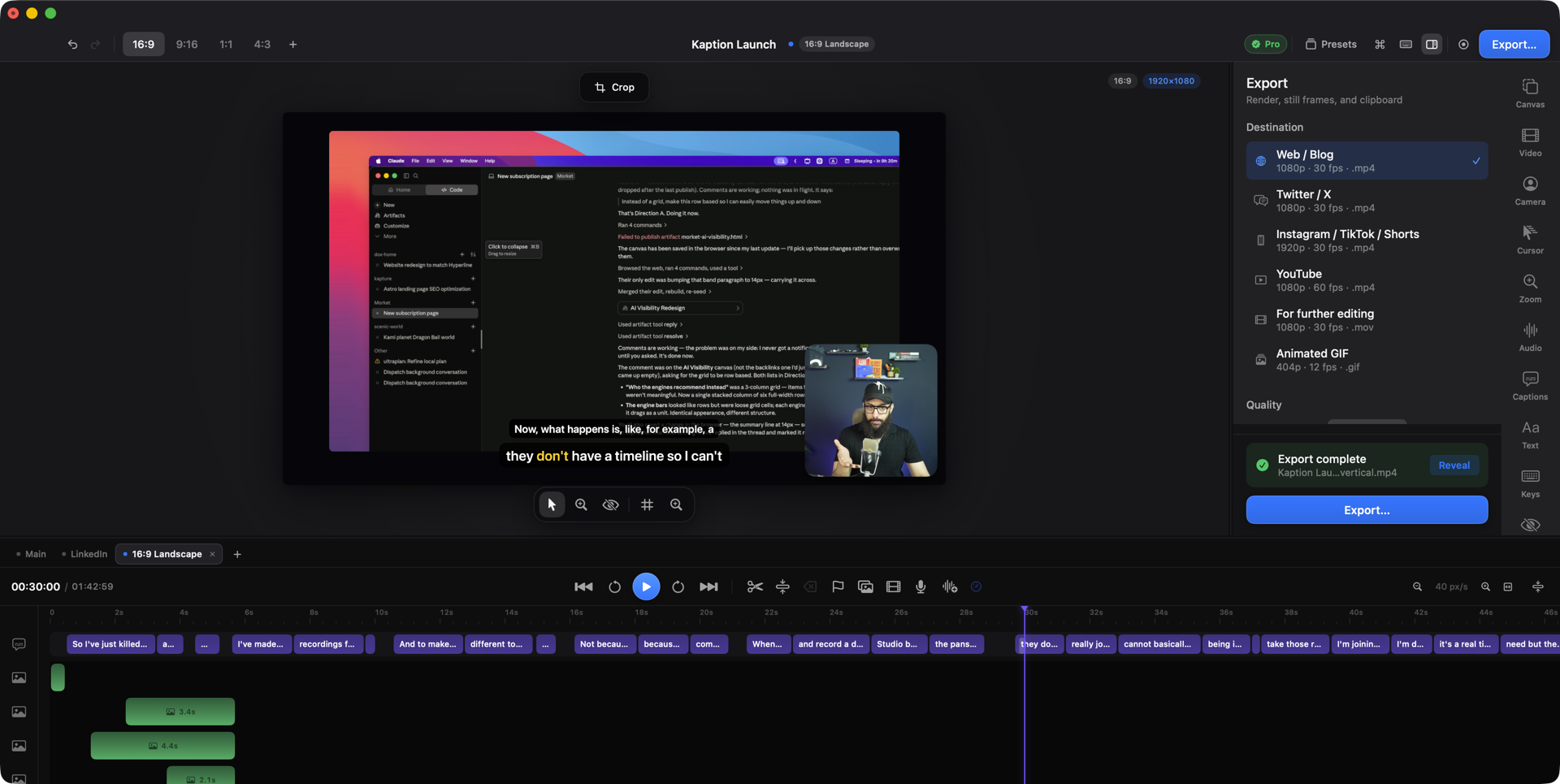
The editor has four regions. Everything in this help maps onto one of them.
The canvas (centre)
Section titled “The canvas (centre)”The live preview — exactly what exports, frame for frame. Click a picture on the canvas to select it; drag it to move it; drag its corners to resize. The toolbar under the canvas has the pointer tool, canvas zoom, a hide-overlays toggle, and a grid.
The row above the canvas holds the canvas shape and the Crop button. “Wide 16:9” is a menu of the four shapes, a custom ratio and the output size; Crop opens the crop window for the recording or the selected clip.
The title bar carries the project name in the middle and, on the right, undo and redo, look presets, the MCP connection, the command palette, the shortcut sheet, the inspector toggle, a new recording, and Export.
The inspector (right)
Section titled “The inspector (right)”One tab per subject, and the tabs are numbered — ⌘1 through ⌘9 jump straight to them:
| Key | Tab | What lives there |
|---|---|---|
| ⌘1 | Canvas | Background, padding, shadow |
| ⌘2 | Video | The selected clip: position, scale, opacity, animation — and the Intro tool when nothing is selected |
| ⌘3 | Camera | The webcam bubble |
| ⌘4 | Cursor | How the recorded pointer is drawn |
| ⌘5 | Zoom | Every zoom keyframe |
| ⌘6 | Audio | Track levels, ducking, narration |
| ⌘7 | Captions | Transcription and styling |
| ⌘8 | Annotate | Titles, arrows, boxes and circles |
| ⌘9 | Keys | The keystroke overlay |
Below the numbered tabs sit Masks and Export.
The timeline (bottom)
Section titled “The timeline (bottom)”
Captions run along the top as chips; below them, one lane per track of picture, then audio. The ruler is where you scrub — click or drag on it to move the playhead. Clicking a clip selects it; it never scrubs.
Tabs above the timeline switch between alternative cuts of the same recording.
The transport bar has skip, play and skip; then Split, a + menu for adding a picture, a video, a voiceover or a marker, and a … menu for ripple delete, delete and the speed of a selection. Each menu item shows its key.
The command palette
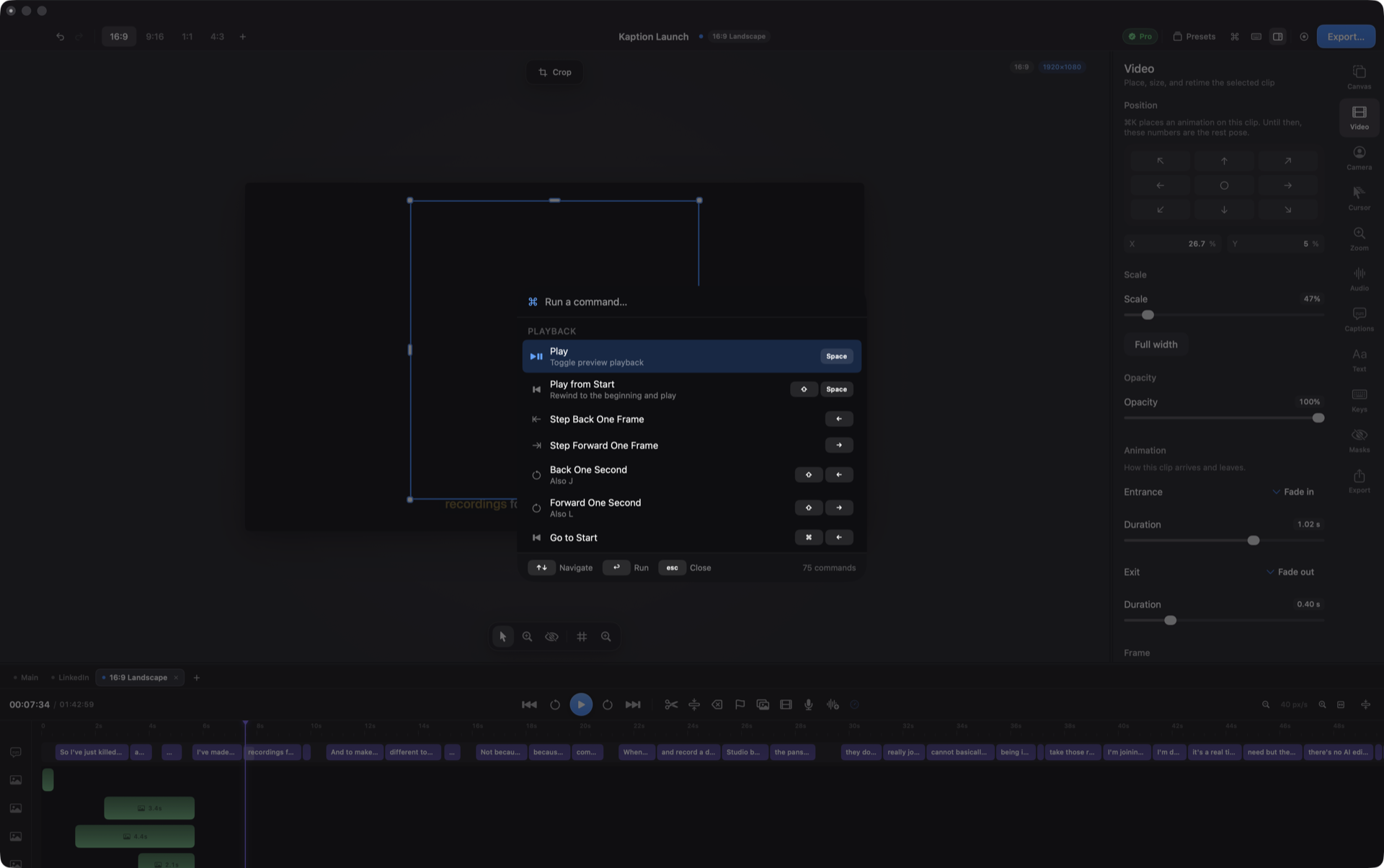
Section titled “The command palette”⇧⌘K opens a searchable list of every action in the app — including a few that live nowhere else. If you remember a feature’s name but not its home, this is the fastest route.
The cheat sheet
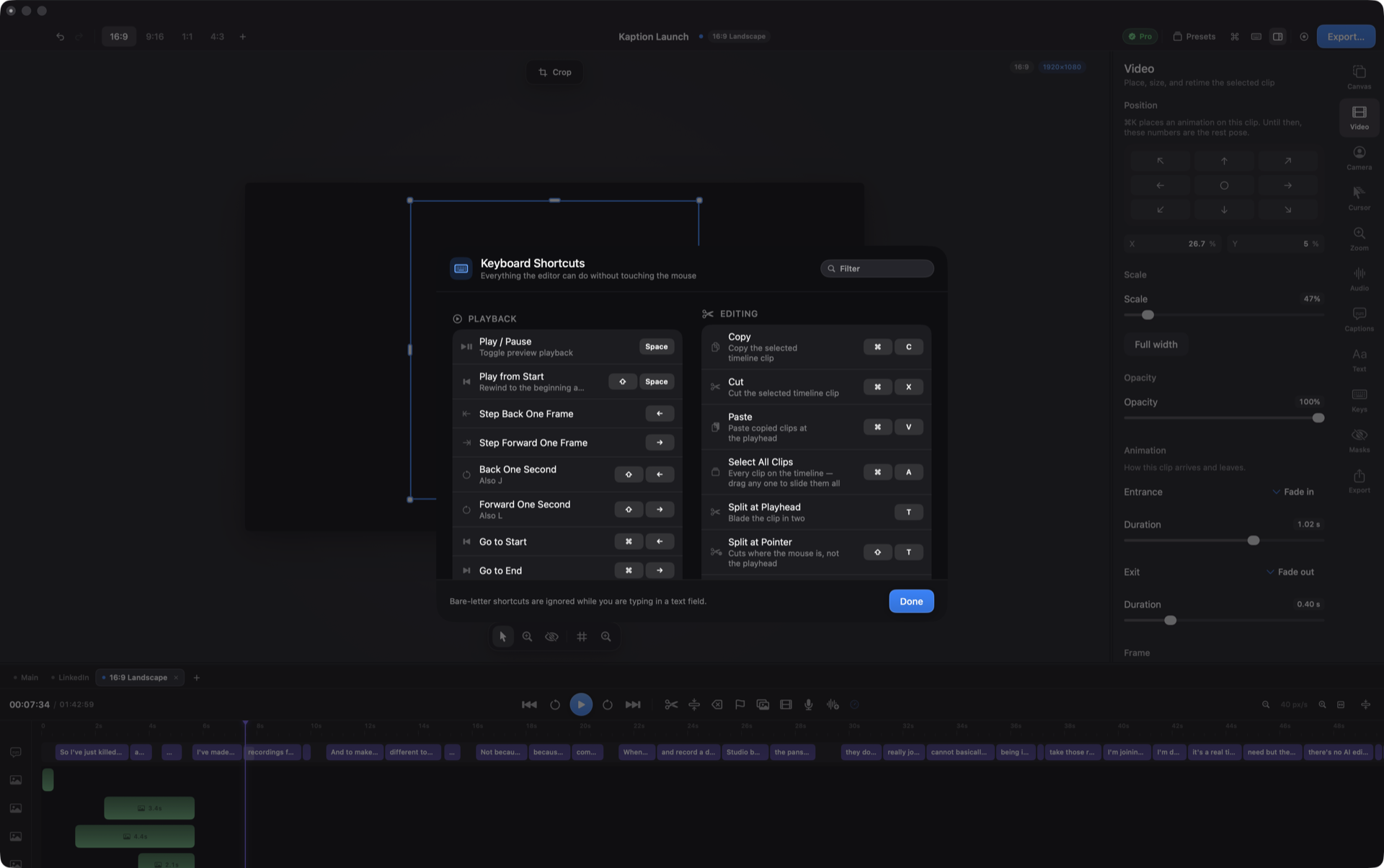
Section titled “The cheat sheet”⌘/ shows every keyboard shortcut in one panel, and any of them can be changed there: click a shortcut, press the new keys. The same list, in page form, is in the shortcut reference.