Captions & transcription
Generate
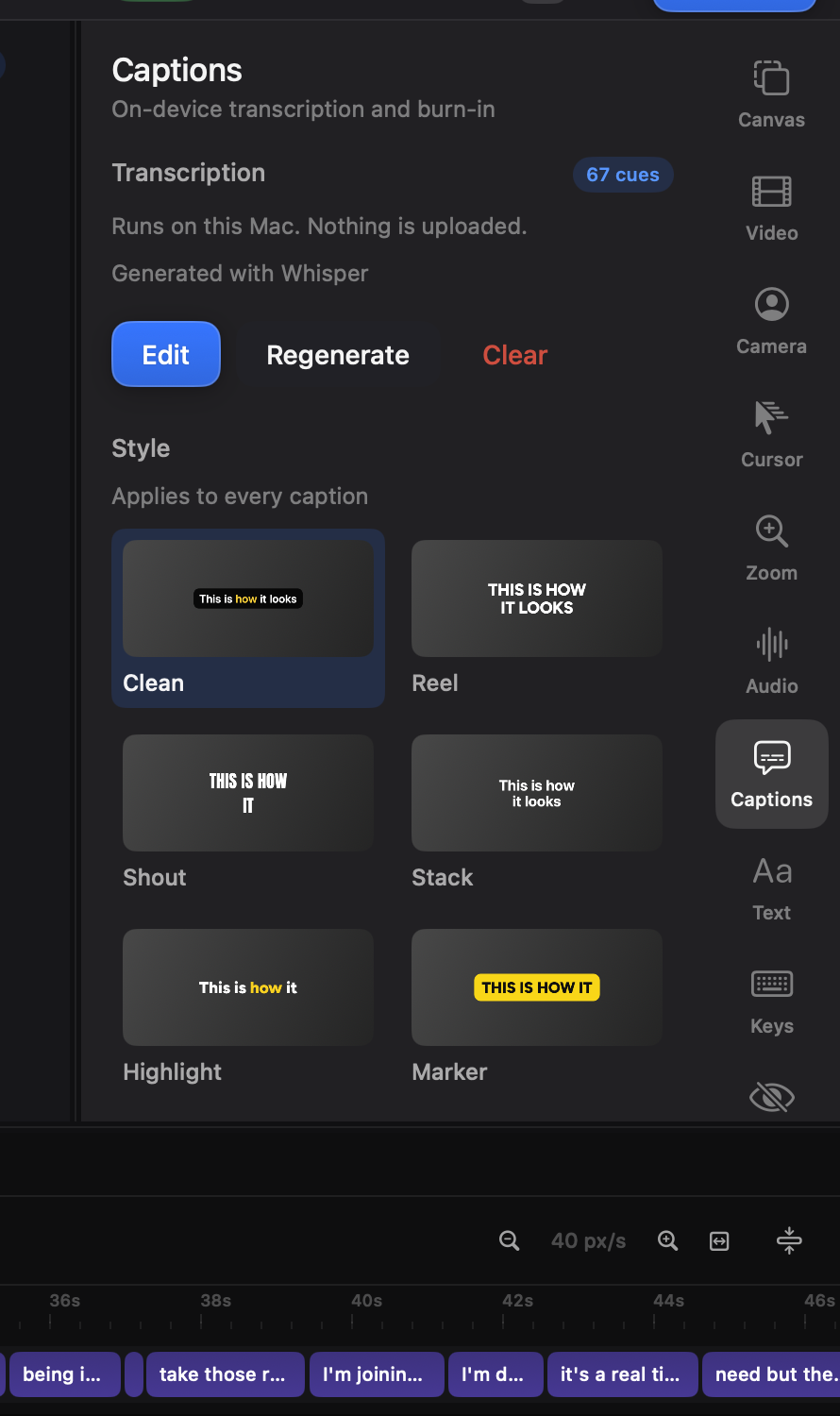
Section titled “Generate”Open the Captions tab (⌘7) and generate. Transcription runs entirely on your Mac — Whisper-class models bundled with the app, or Apple’s engine if you prefer. Nothing is uploaded. A long recording takes a minute or two; the cues land on the timeline as chips, with per-word timing.
- Click a chip to select a cue; edit its text in the inspector.
- Click a word in the transcript editor and the playhead jumps to the moment it’s spoken.
- Combine merges short fragments into one on-screen line — transcription splits at pauses, which is rarely where a caption should break.
- Chips trim and move like clips when the timing needs a nudge.
Font, weight, size, colour, highlight colour (the spoken word lights up as it’s said), position, background plate, fade. One style rules the track; any single cue can override it without detaching from the rest.
Text align sets how the lines sit against each other inside the caption. Where the caption sits on the frame is the row below it: top, middle or bottom, plus an X / Y offset in percent of the canvas for anything finer — including moving a caption off centre, which the band could not do before.
In Full screen mode the caption takes the whole frame. Camera visible keeps the camera bubble on top of it, where it sits the rest of the time; off, the caption covers the bubble too.
Styling follows the timeline, so your vertical cut can run big centred captions while the landscape cut keeps them small and low.
Captions and takes
Section titled “Captions and takes”Transcribe an appended take and its cues are tied to that take’s audio — they appear over the take’s footage and nowhere else, even after you rearrange the timeline.
Export the words
Section titled “Export the words”At the bottom of the Captions tab, Export writes the captions out as a
file. Text gives you the words alone, broken into paragraphs where you
paused, for drafting a LinkedIn or X post from what you said. SRT and
VTT are subtitle files for the upload form or the player. Timings follow
the edited video, not the raw recording: anything you cut is left out, and
the rest lands where it plays. Agents get the same through manage_captions
with action: export.
Burned in, or not
Section titled “Burned in, or not”Captions render into the exported picture (“burned in”). Turn the track off before exporting if a platform will add its own.